
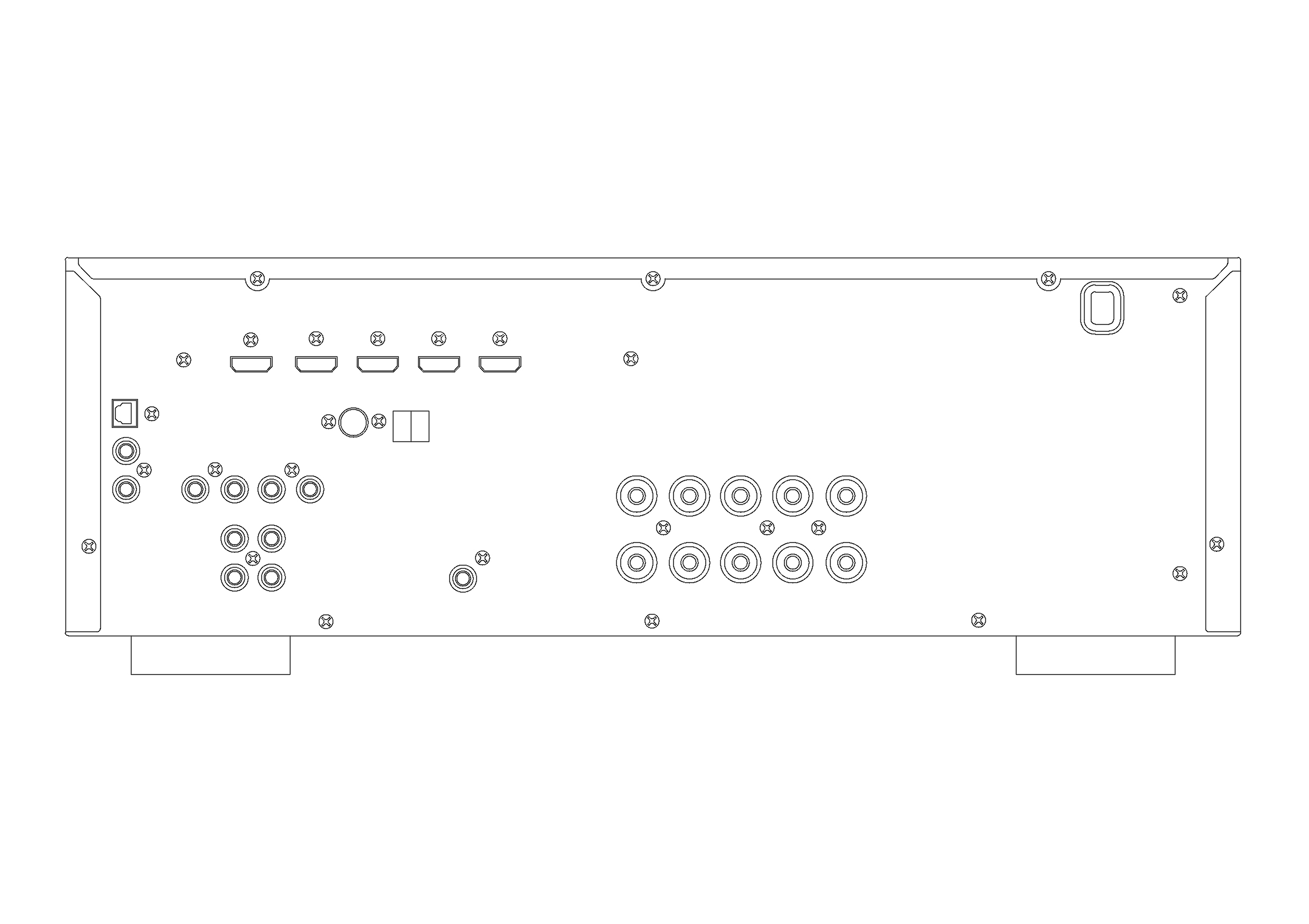
Free Amplifier Back Elevation CAD Block – DWG, DXF, PDF Format
An amplifier, electronic amplifier or (informally) amp is an electronic device that can increase the power of a signal (a time-varying voltage or current). It is a two-port electronic circuit that uses electric power from a power supply to increase the amplitude of a signal applied to its input terminals, producing a proportionally greater amplitude signal at its output. The amount of amplification provided by an amplifier is measured by its gain: the ratio of output voltage, current, or power to input. An amplifier is a circuit that has a power gain greater than one.
An amplifier can either be a separate piece of equipment or an electrical circuit contained within another device. Amplification is fundamental to modern electronics, and amplifiers are widely used in almost all electronic equipment. Amplifiers can be categorized in different ways. One is by the frequency of the electronic signal being amplified. For example, audio amplifiers amplify signals in the audio (sound) range of less than 20 kHz, RF amplifiers amplify frequencies in the radio frequency range between 20 kHz and 300 GHz, and servo amplifiers and instrumentation amplifiers may work with very low frequencies down to direct current. Amplifiers can also be categorized by their physical placement in the signal chain; a preamplifier may precede other signal processing stages, for example. The first practical electrical device which could amplify was the triode vacuum tube, invented in 1906 by Lee De Forest, which led to the first amplifiers around 1912. Today most amplifiers use transistors.
You need more Technical, Electrical, HVAC, and Plumbing DWG and AutoCAD Drawings? Check the Technical Category. Access our entire CAD blocks and DWG drawings on our homepage. For free 3D files, visit Freepolygon. Need free vector illustrations? Check out Vectorfreefiles. Stay updated with the latest design news and insights at Designrecap. Explore a global directory of design professionals and firms at Meshegg. Explore more resources for architecture students and professionals at Archiskills.
REQUEST A FILE FOR FREE
SIMILAR KEYWORDS
FAQ
-
01.
HOW CAN I EARN MONEY BY UPLOADING MY CAD FILES TO FREECADS?
You can earn ad revenue from your uploaded models. Every file you upload gets its own page with ads, and you receive an 80% share of the revenue generated from that page. The more people view your work, the more you earn.
-
02.
WHEN AND HOW ARE PAYMENTS MADE TO CREATORS?
Earnings are updated daily and paid every month using the industry standard net 40 system. That means revenue generated in one month is paid 40 days later, directly to your PayPal account.
-
03.
WHAT TYPES OF FILES CAN I UPLOAD OR DOWNLOAD ON FREECADS?
Freecads supports a wide range of professional file formats including DWG, DXF, PDF, SKP, RVT, IFC, 3DM, STEP, STP, PLN, DGN, IGS, SLDPRT, FCSTD, IPT, PRT, CATPART, 3DXML, IMODEL, and more. You can upload and download 2D and 3D models across multiple design platforms.
-
04.
WHAT IS THE DIFFERENCE BETWEEN FREE AND PREMIUM MEMBERSHIPS?
Both Free and Premium members can upload and earn from their files. Free Members can upload up to 30 files per month and track their last 30 downloads, while Premium Members enjoy an ad free experience throughout the site, unlimited uploads, unlimited download history, and priority access to new features for €2.9 per month or €19.9 per year. Both tiers can still download an unlimited amount of files.
-
05.
WHAT IS NEW IN THE LATEST VERSION OF FREECADS?
The new Freecads introduces a redesigned interface, faster search, expanded file support, and a creator dashboard that lets you track views, downloads, and earnings in real time. It is now simpler, faster, and fairer for everyone.